Photo Export Quick Start Guide
Export Your Photos in 3 Steps
Follow the steps for your app, then tap “Free Preview” to upload.
1Save your chat photos
Group name → "Media, Links, Docs"
Select → Drag to highlight all
Share icon (⬆) → "Save to Photos"
2Upload them here
1. Tap "Free Preview"
Works in any browser on your phone, tablet, or computer. No app or account needed.
2. Add your email and book title
We'll email your free preview when it's ready. The title appears on your book cover.
3. Select your photos
Choose everything you saved — up to 1,000 images. Keep the tab open until the upload finishes.
Pro Tips
- ✓Use Wi-Fi for faster uploads
- ✓Keep the upload tab open until it finishes
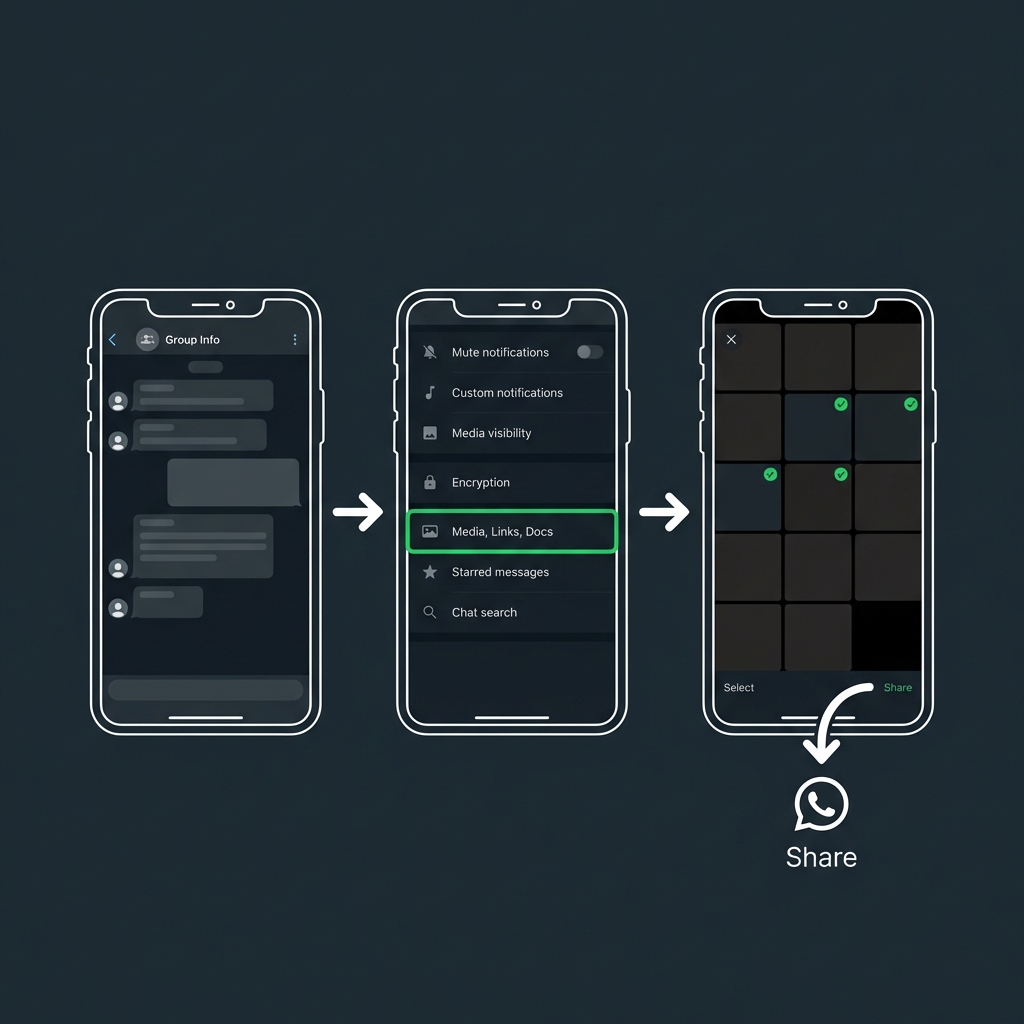
WhatsApp Export Flow